
.png)
Your Central Gateway for All Incoming Software
Koi’s Supply Chain Gateway (SCG) is a new architectural layer that acts as a proactive network-based gate for curating incoming software from marketplaces, app stores, or registries like Github, Hugging Face, Chrome Web Store, Visual Studio Code Marketplace, and Homebrew.

Curate marketplaces, app stores and registries transparently and without hurting productivity.
Koi’s Supply Chain Gateway allows your enterprise teams to enjoy the riches of any marketplace, app store, or registry, safely.
.png)
Automagically remove risky, malicious, or non-compliant software from search results
Using Koi’s Supply Chain Gateway, ensure your enterprise teams install only what is allowed. By changing the install button to “request approval” or removing search results over the network, you remain in complete control of your software intake.

Centrally control which software is served from public marketplaces which are scanned continuously by Koi Wings.

Block malicious or risky software before they reach your environment

Protect already-installed items from receiving malicious updates that can compromise your environment.

Ensure only items that comply with your organization’s policies are served
Stop hurting productivity and staying behind.
Instead of blocking the marketplace, app store, or registry in its entirety, use Koi to empower your enterprise teams to adopt software, while adhering to organizational policies.
Make every install a policy decision across all endpoints
by governing what users can discover and install across extensions, packages, binaries, and AI tools.
Approve what teams need, with scoped guardrails
with scoped, time-bound exceptions tied to users or groups, plus full justification and audit trail.
Block risky or malicious software before it reaches endpoints
by filtering marketplaces using Koi risk signals and stopping unsafe installs and updates automatically.
No manual vetting, no manual allowlisting.
.png)
.png)
Automatically uncover and catalog all non-binary and binary software in your IT environment.
Wings, our agentic AI risk engine, correlates code diffs, runtime behavior, ownership changes, update channels, network egress, and install source to detect malware, impersonation, and policy drift in real time.
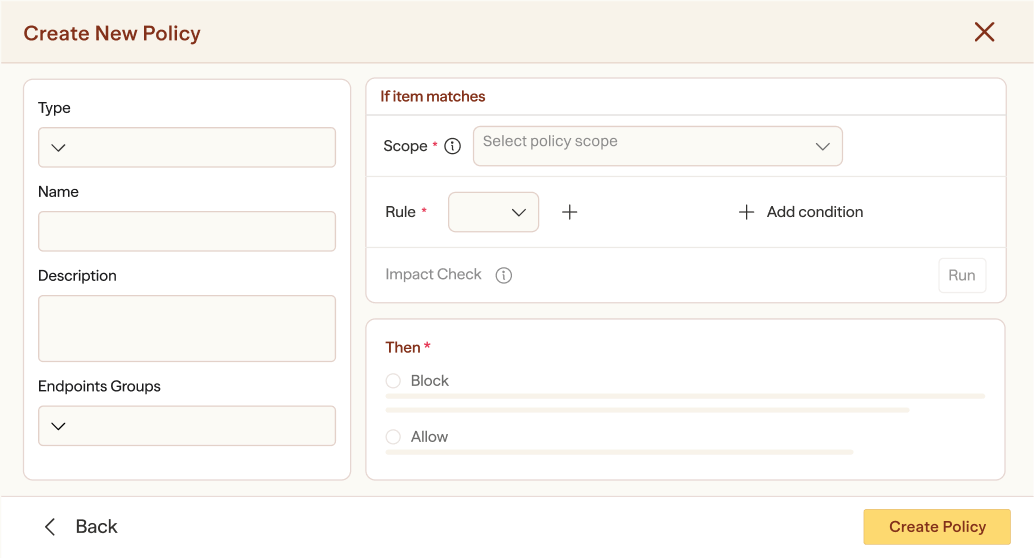
Define org-wide rules by user, group, and asset sensitivity. Approvals, cooldowns, and allow/block lists enforced automatically
.png)
.png)

Ready to secure every install?
Watch a 3-minute demo
See how Koi secures all software in your IT environment—from packages to add-ons and extensions—making marketplace risk visible and actionable.




Get access
Enter your work email to watch the demo.
